Editarea Online help: Page options
Page options
You can reach the page options panel by clicking the  button of the bar or by double-clicking on the title of the page itself.
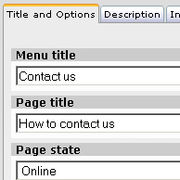
Title and state

Menu title
Is the text that will be shown in the menu entry for that page

Page title
Is the text that will be shown at the top of the page (it can differ from the menu entry to allow shorter menu entries)

Page state
A page can have 3 visibility statuses:
Online: page is public and visible in the menu
Online hidden: page is accessible from the below indicated address but the menu link to it is not visible. To add a link to this page check out the Links section of this help
Offline: the page is not accessible to users

Description
The page description isn't shown on the page itself but is used when referring to that page.

For example, in the home page, if the page is a main section, on the pass of the mouse over the menu entry the page description text will be shown in the lower left.

Image and options
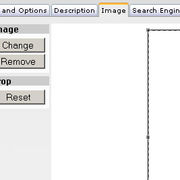
The page image isn't shown on the page itself but is used when referring to that page.

For example, in the home page, if the page is a main section, this is the image linked to the page at the bottom of the home page itself.

Page options
Highlighted page - modifies the menu entry for this page, highlighting it.
Left column not shown - Allows you to remove the left column where the menu entries are shown, giving you more space for the page content.
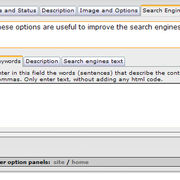
Search engines
Keywords
Keywords are used by search engines to retrieve information on the contents of a page. These words will be inserted in the html code and will not be visible to the viewers of the site.

Description
Same for keywords, a field used by search engines, inserted in the html code and not visible to the viewers of the site.

Engines text
The content of this field willbe only shown to users that haven't got Flash installed and that can't execute javascript code. The user of the site will not see it but it will be shown to the search engines spiders that don't use flash and don't execute javascript code.


  How it works
| Free trial | Prices
made in EditArea